 Google Drive
 OneDrive
Hieronder laten we zien hoe je een PDF omzet naar een invulbaar formulier
-
Selecteer een bestaand PDF-document
Klik op 'Upload' om een bestand te kiezen. Geen document? Start met een leeg sjabloon.
-
Invulbare velden toevoegen aan je PDF-formulier
Loop je document door en voeg invulbare velden toe waar nodig.
Je kunt kiezen uit de volgende veldtypen:
- Tekstveld: enkele tekstregel
- Tekstvak: meerdere tekstregels
- Radio: selecteer er slechts één uit een groep
- Checkbox: vink één of meer opties aan
- Dropdown: kies één of meer opties uit een keuzelijst
- Handtekeningveld: handtekeningveld voor anderen om te tekenen
Hoe maak je een invulbaar PDF-tekstveld
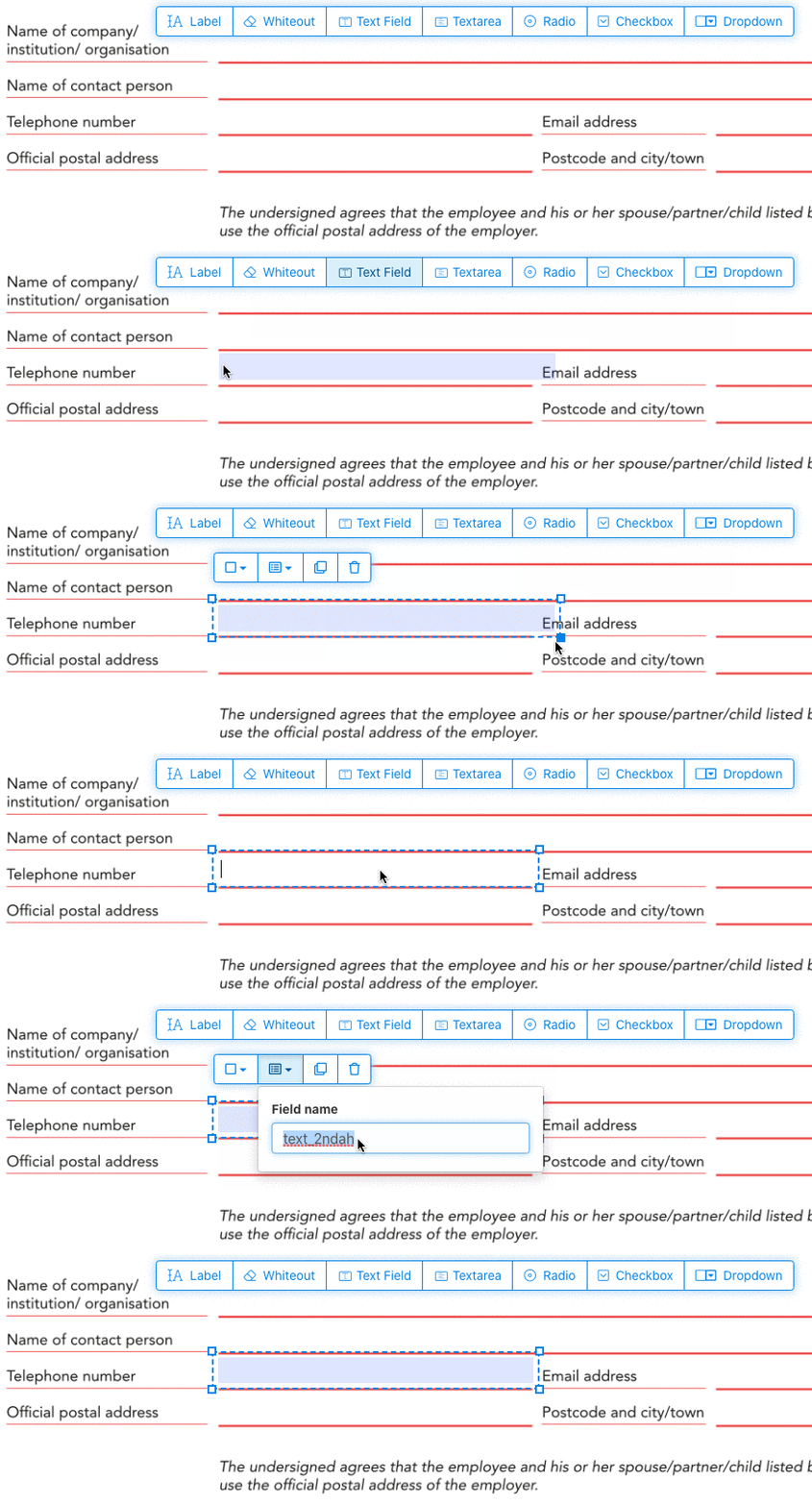
Klik op het tekstveld-item in het menu. Klik vervolgens op de pagina om een nieuw tekstveld te plaatsen.
![]()
Maak checkboxes, radiobuttons of dropdowns
Alle andere velden voeg je op dezelfde manier toe.
Radio buttons are grouped together in unison by using the same form field name for all buttons. This ensures only one is selected at the same time. When the user selects one, the other radio buttons in the group are deselected.
Randkleur wijzigen. Configure text color in PDF form fields
Geef velden een transparante rand of kies de kleur die bij je past. The color of the text of the PDF fields can be configured.
The text alignment can be configured as 'Left', 'Center' or 'Right'. The font size can be set to a specific value or left as 'Auto' to that it automatically adjusts based on the amount of text typed in.
Beheer veldnamen en andere eigenschappen
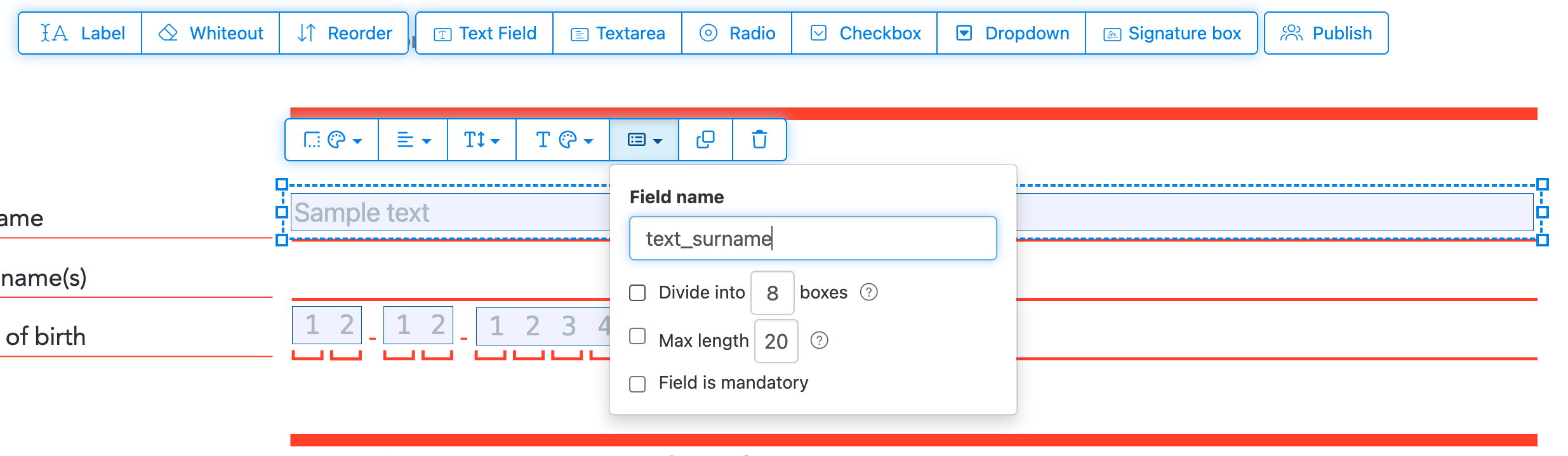
Geef elk veld een naam en configureer eigenschappen zoals multiselect en exportwaarden.
Mark any field as required, so it must be completed before the form can be submitted. For text fields, you can also set a maximum character length to limit input.
Text fields can be displayed as a comb field, dividing the input area into equally spaced boxes, one per character. Commonly used for date fields, postal codes, ID numbers, and similar structured inputs.
![]()
Change PDF tab order
Need to control the order in which fields are tabbed through? Click 'Reorder' to reorder form fields by dragging and dropping, or auto-sort them by rows or columns.
Align PDF fields, multi-select and duplicate across pages
Select multiple form fields at once and duplicate them to a different page, handy when building multi-page forms with repeating sections.
Use the alignment tools to line up multiple form fields with each other. Align by left, right, top, or bottom edge for a clean, professional layout.
Publiceren voor invullen & ondertekenen
Once your form is ready, use 'Publish' button to generate a shareable link. Anyone with the link can open the form, fill it out, and send it back to you by email. The link does not expire and can be shared on a website or in an email.
-
Document opslaan
Klik op 'Wijzigingen toepassen'. Wanneer het verwerken klaar is, sla je bijgewerkte document op.
Je hebt nu een invulbaar PDF-document dat makkelijk elektronisch kan worden ingevuld, zonder te printen.