 Google Drive
 OneDrive
Unten zeigen wir, wie man ein PDF in ein ausfüllbares Formular umwandelt
-
Wähle ein vorhandenes PDF-Dokument aus
Klicke auf "Hochladen", um eine Datei auszuwählen. Kein vorhandenes Dokument? Starte mit einer leeren Vorlage.
-
Füge ausfüllbare Formularfelder zu deinem PDF-Formular hinzu
Gehe den vorhandenen Inhalt deines Dokuments durch und füge bei Bedarf ausfüllbare Formularfelder hinzu.
Du kannst aus den folgenden Feldtypen wählen:
- Textfeld: einzelne Textzeile
- Textbereich: mehrere Textzeilen
- Radio (Optionsfeld): wähle nur eines aus einer Gruppe aus
- Kontrollkästchen: kreuze eine oder mehrere Optionen an
- Dropdown: wähle eine oder mehrere Optionen aus einer Dropdown-Liste
- Signaturfeld: Signaturfeld für andere zum Unterschreiben
Wie man ein ausfüllbares PDF-Textfeld erstellt
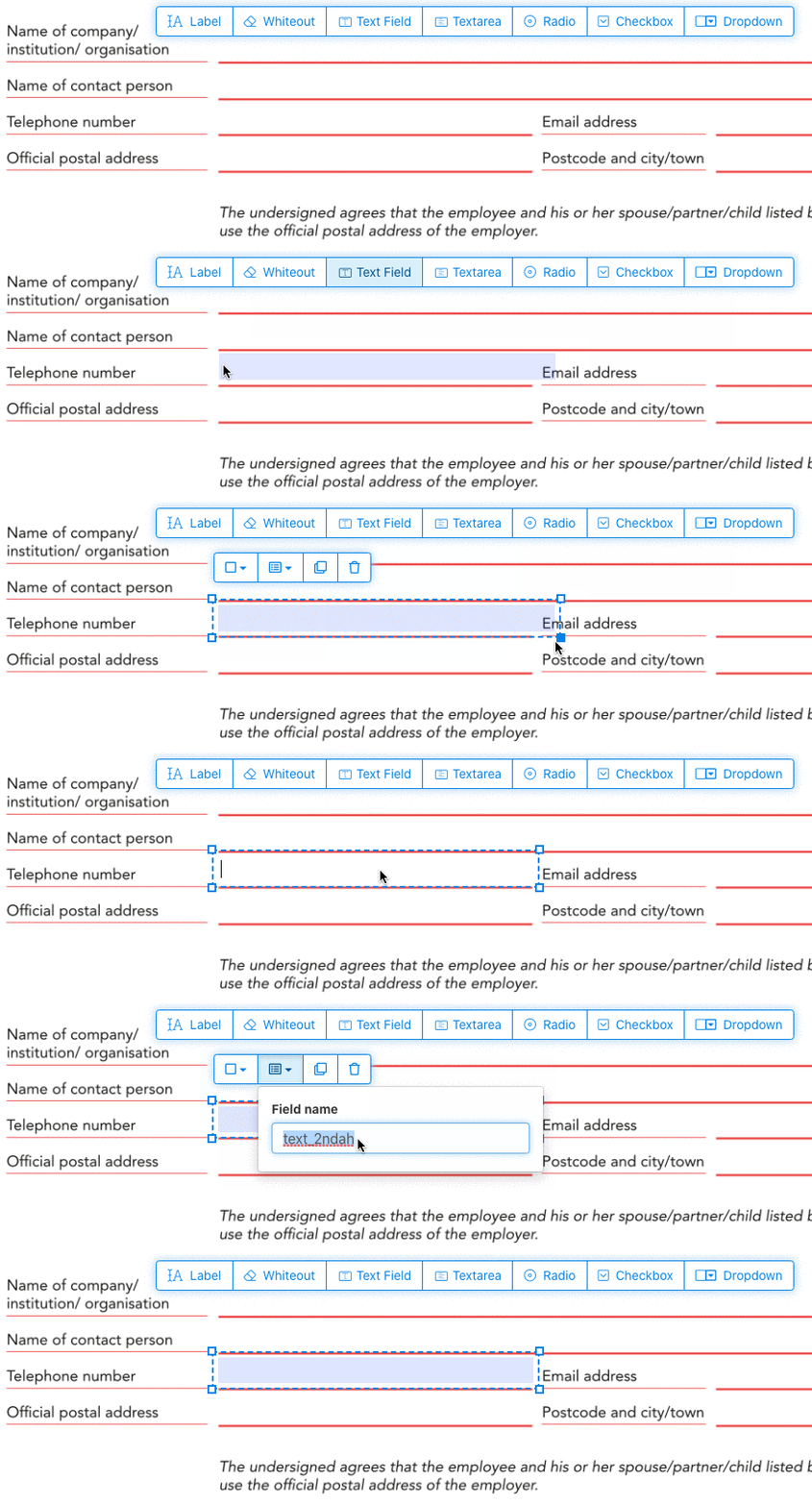
Klicke auf das Textfeld-Element im Menü. Dann klicke auf die Seite, um ein neues Textfeld zu platzieren.
![]()
Erstelle Kontrollkästchen, Optionsfelder oder Dropdowns
Alle anderen Formularfelder können auf die gleiche Weise hinzugefügt werden.
Radio buttons are grouped together in unison by using the same form field name for all buttons. This ensures only one is selected at the same time. When the user selects one, the other radio buttons in the group are deselected.
Rahmenfarbe ändern. Configure text color in PDF form fields
Verwende Formularfelder mit transparentem Rahmen oder wähle die Farbe, die dir am besten passt. The color of the text of the PDF fields can be configured.
The text alignment can be configured as 'Left', 'Center' or 'Right'. The font size can be set to a specific value or left as 'Auto' to that it automatically adjusts based on the amount of text typed in.
Kontrolliere Formularfeldnamen und andere Eigenschaften
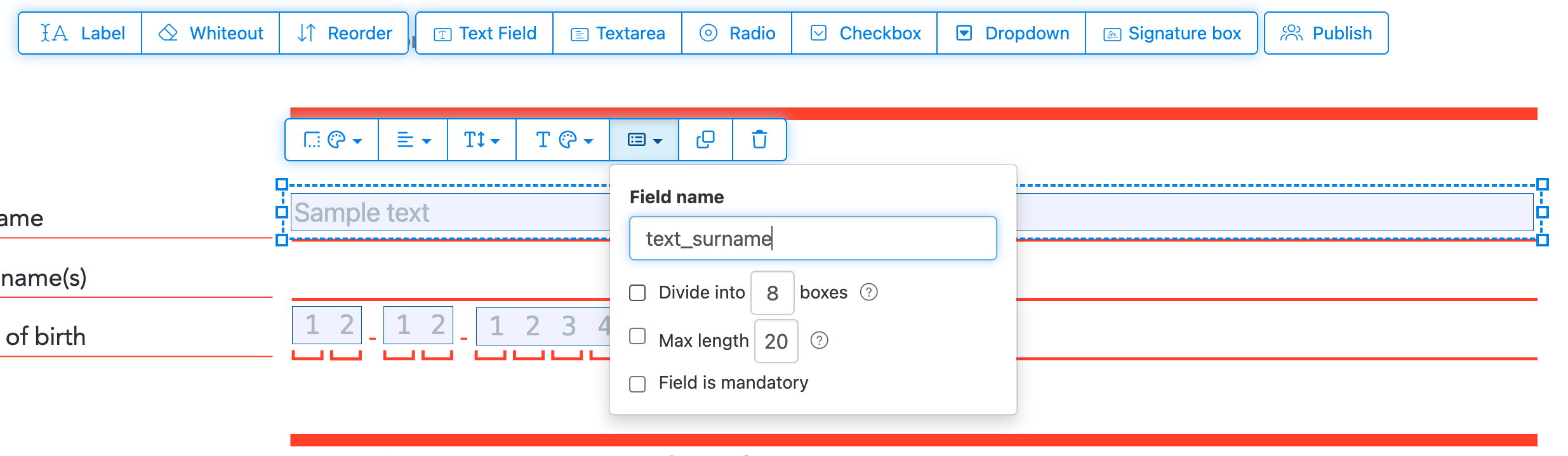
Definiere den Namen für jedes Formularfeld und konfiguriere spezifische Feldeigenschaften, wie Mehrfachauswahl, Exportwerte und mehr.
Mark any field as required, so it must be completed before the form can be submitted. For text fields, you can also set a maximum character length to limit input.
Text fields can be displayed as a comb field, dividing the input area into equally spaced boxes, one per character. Commonly used for date fields, postal codes, ID numbers, and similar structured inputs.
![]()
Change PDF tab order
Need to control the order in which fields are tabbed through? Click 'Reorder' to reorder form fields by dragging and dropping, or auto-sort them by rows or columns.
Align PDF fields, multi-select and duplicate across pages
Select multiple form fields at once and duplicate them to a different page, handy when building multi-page forms with repeating sections.
Use the alignment tools to line up multiple form fields with each other. Align by left, right, top, or bottom edge for a clean, professional layout.
Veröffentlichen zum Ausfüllen & Signieren
Once your form is ready, use 'Publish' button to generate a shareable link. Anyone with the link can open the form, fill it out, and send it back to you by email. The link does not expire and can be shared on a website or in an email.
-
Speichere dein Dokument
Klicke auf 'Änderungen anwenden'. Wenn die Verarbeitung abgeschlossen ist, speichere dein aktualisiertes Dokument.
Du solltest ein ausfüllbares PDF-Dokument haben, das einfach elektronisch ausgefüllt werden kann, ohne zu drucken.