 Google Drive
 OneDrive
下面介绍如何将 PDF 转换为可填写表单
-
选择现有的 PDF 文档
点击“上传”以选择文件. 没有现有文档?从空白模板开始.
-
向 PDF 表单添加可填写字段
检查文档现有内容,并在必要处添加可填写表单字段.
你可以从以下字段类型中选择:
- 文本字段: 单行文本
- Textarea: 多行文本
- Radio: 从组中仅选择一个
- 复选框: 勾选一个或多个选项
- Dropdown: 从下拉列表中选择一个或多个选项
- 签名框: 供他人签名的签名框
如何创建可填写 PDF 文本字段
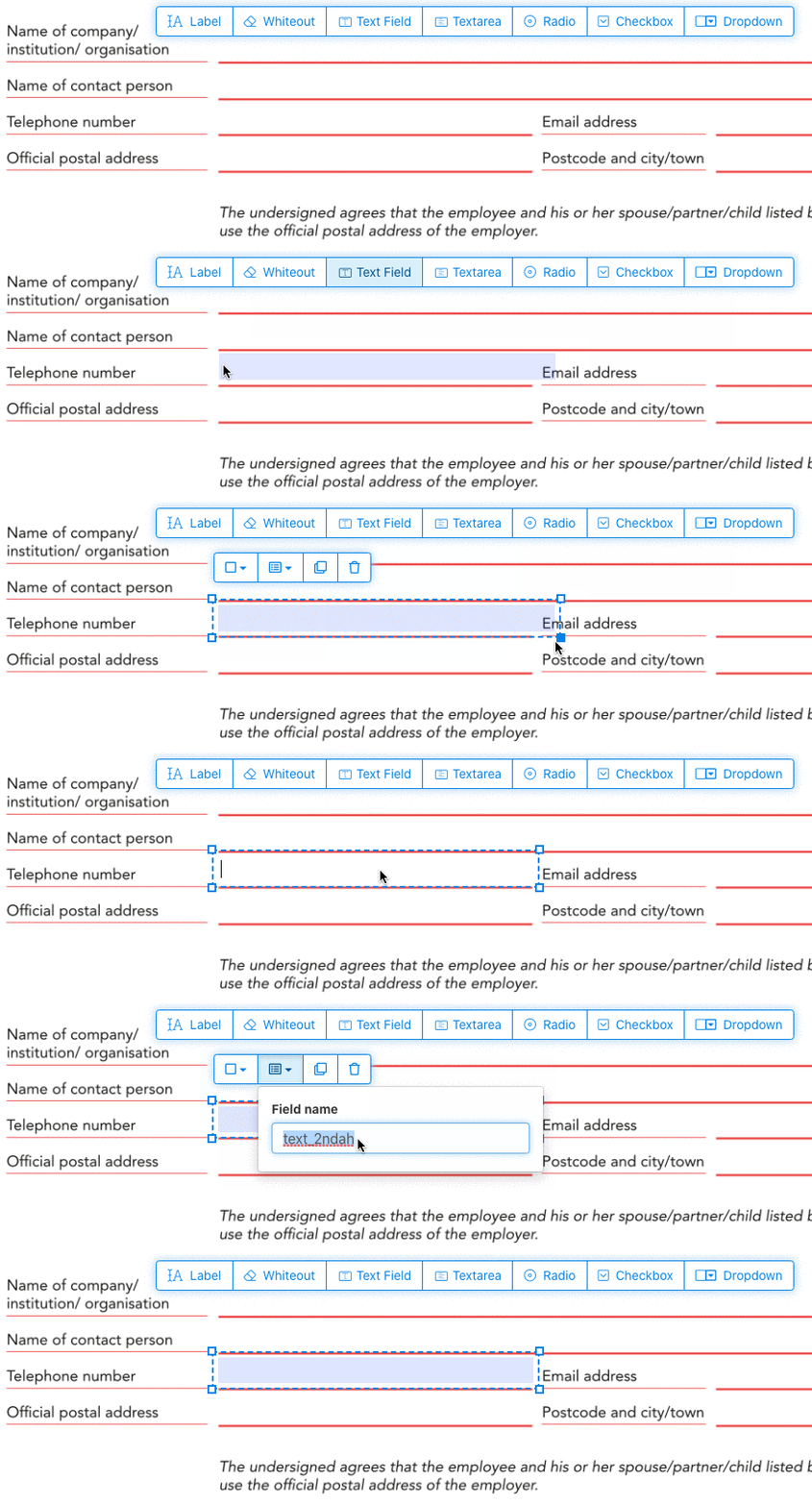
点击菜单中的文本字段项. 点击页面以放置新的文本字段.
![]()
创建 checkboxes、radio buttons 或 dropdown
所有其他表单字段都可以用同样的方式添加.
Radio buttons are grouped together in unison by using the same form field name for all buttons. This ensures only one is selected at the same time. When the user selects one, the other radio buttons in the group are deselected.
修改边框颜色. Configure text color in PDF form fields
让表单字段拥有透明边框,或选择最适合你的颜色. The color of the text of the PDF fields can be configured.
The text alignment can be configured as 'Left', 'Center' or 'Right'. The font size can be set to a specific value or left as 'Auto' to that it automatically adjusts based on the amount of text typed in.
控制表单字段名称和其他属性
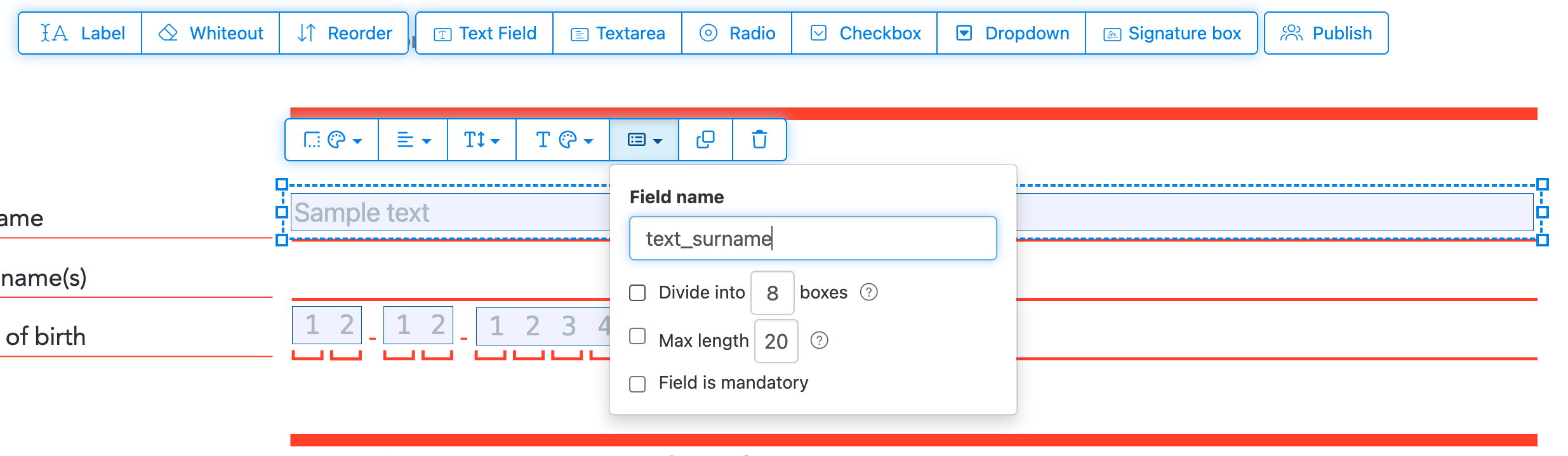
为每个表单字段定义名称,并配置特定字段属性,比如多选、导出值等.
Mark any field as required, so it must be completed before the form can be submitted. For text fields, you can also set a maximum character length to limit input.
Text fields can be displayed as a comb field, dividing the input area into equally spaced boxes, one per character. Commonly used for date fields, postal codes, ID numbers, and similar structured inputs.
![]()
Change PDF tab order
Need to control the order in which fields are tabbed through? Click 'Reorder' to reorder form fields by dragging and dropping, or auto-sort them by rows or columns.
Align PDF fields, multi-select and duplicate across pages
Select multiple form fields at once and duplicate them to a different page, handy when building multi-page forms with repeating sections.
Use the alignment tools to line up multiple form fields with each other. Align by left, right, top, or bottom edge for a clean, professional layout.
发布供他人填写并签名
Once your form is ready, use 'Publish' button to generate a shareable link. Anyone with the link can open the form, fill it out, and send it back to you by email. The link does not expire and can be shared on a website or in an email.
-
保存你的文档
点击“应用更改”. 处理完成后,保存你更新后的文档.
你将拥有一个可填写的 PDF 文档,无需打印即可轻松在线填写.