 Google Drive
 OneDrive
Alla näytämme, kuinka muutat PDF:n täytettäväksi lomakkeeksi
-
Valitse olemassa oleva PDF-dokumentti
Valitse tiedosto klikkaamalla 'Lataa'. Eikö valmista dokumenttia? Aloita tyhjällä pohjalla.
-
Lisää täytettäviä lomakekenttiä PDF-lomakkeeseesi
Käy läpi dokumentin sisältö ja lisää täytettävät kentät tarvittaessa.
Voit valita seuraavista kenttätyypeistä:
- Tekstikenttä: yksittäinen tekstirivi
- Tekstialue: useita tekstirivejä
- Radio: valitse vain yksi ryhmästä
- Valintaruutu: valitse yksi tai useampi vaihtoehto
- Dropdown: valitse yksi tai useampi vaihtoehto alasvetovalikosta
- Allekirjoituskenttä: allekirjoituskenttä muiden allekirjoituksia varten
Näin luot täytettävän PDF-tekstikentän
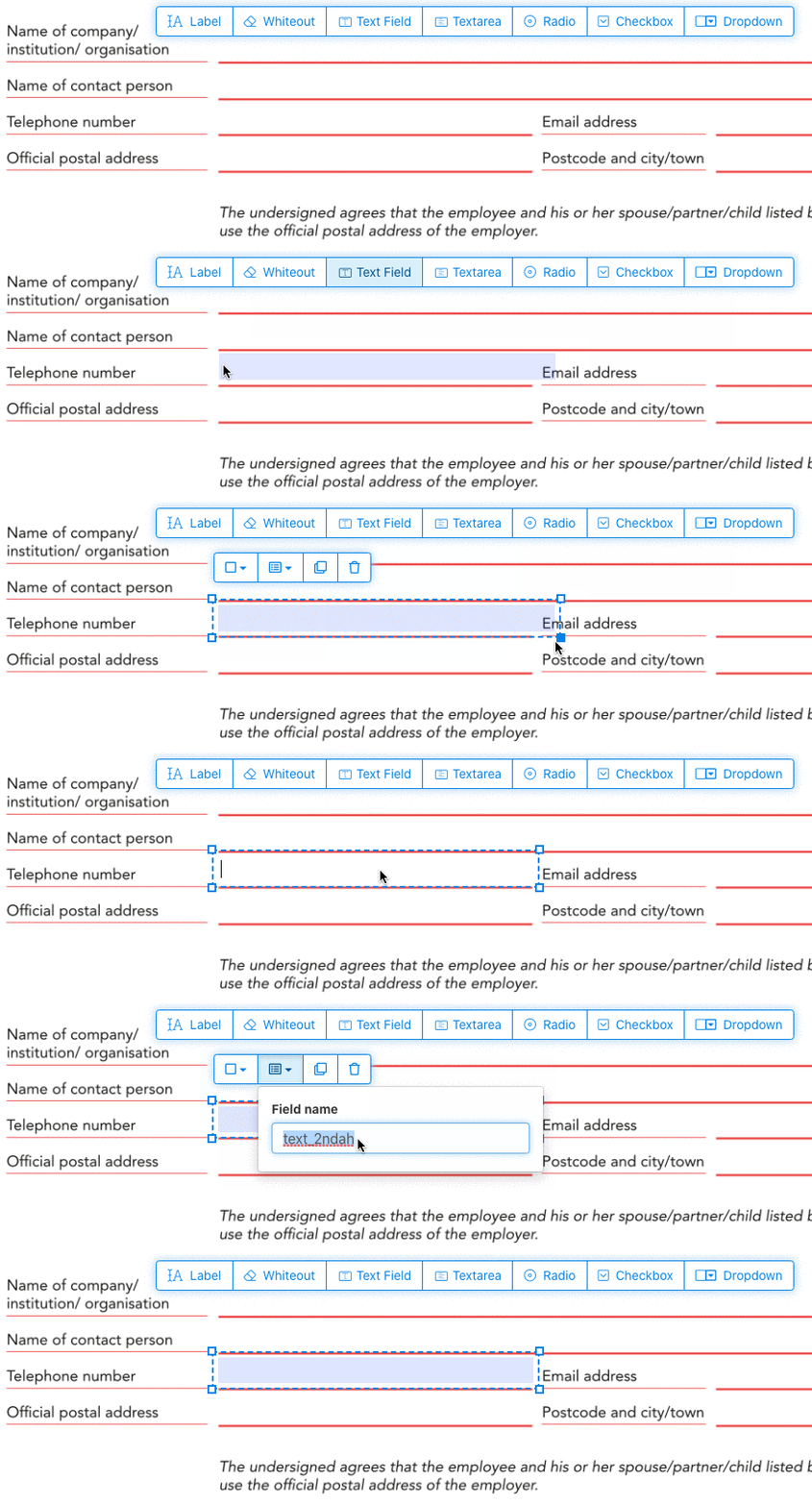
Klikkaa tekstikenttä-työkalua valikosta. Klikkaa sitten sivua asettaaksesi uuden tekstikentän.
![]()
Luo valintaruutuja, radio-painikkeita tai dropdown-valikoita
Kaikki muut kentät voi lisätä samalla tavalla.
Radio buttons are grouped together in unison by using the same form field name for all buttons. This ensures only one is selected at the same time. When the user selects one, the other radio buttons in the group are deselected.
Vaihda reunuksen väriä. Configure text color in PDF form fields
Käytä läpinäkyvää reunusta tai valitse sopivin väri. The color of the text of the PDF fields can be configured.
The text alignment can be configured as 'Left', 'Center' or 'Right'. The font size can be set to a specific value or left as 'Auto' to that it automatically adjusts based on the amount of text typed in.
Hallitse kenttien nimiä ja muita ominaisuuksia
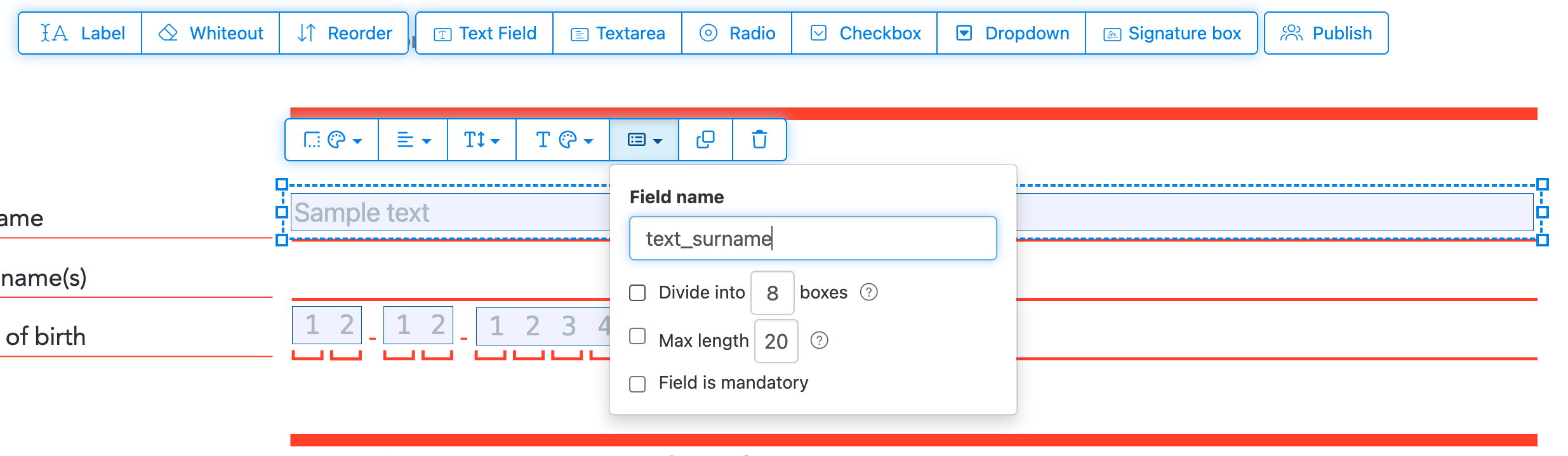
Määritä kentille nimet ja säädä ominaisuuksia, kuten monivalinta, vientiarvot ja muut.
Mark any field as required, so it must be completed before the form can be submitted. For text fields, you can also set a maximum character length to limit input.
Text fields can be displayed as a comb field, dividing the input area into equally spaced boxes, one per character. Commonly used for date fields, postal codes, ID numbers, and similar structured inputs.
![]()
Change PDF tab order
Need to control the order in which fields are tabbed through? Click 'Reorder' to reorder form fields by dragging and dropping, or auto-sort them by rows or columns.
Align PDF fields, multi-select and duplicate across pages
Select multiple form fields at once and duplicate them to a different page, handy when building multi-page forms with repeating sections.
Use the alignment tools to line up multiple form fields with each other. Align by left, right, top, or bottom edge for a clean, professional layout.
Julkaise muiden täytettäväksi ja allekirjoitettavaksi
Once your form is ready, use 'Publish' button to generate a shareable link. Anyone with the link can open the form, fill it out, and send it back to you by email. The link does not expire and can be shared on a website or in an email.
-
Tallenna dokumentti
Klikkaa 'Apply changes'. Kun käsittely on valmis, tallenna päivitetty dokumentti.
Sinulla on nyt täytettävä PDF-dokumentti, jonka voi täyttää sähköisesti ilman tulostamista.