 Google Drive
 OneDrive
Poniżej pokazujemy, jak przekonwertować PDF do wypełnialnego formularza
-
Wybierz istniejący dokument PDF
Kliknij na 'Wyślij' i wybierz plik. Nie masz istniejącego dokumentu? Zacznij od pustego szablonu.
-
Dodaj wypełnialne pola formularzy do swojego formularza PDF
Przejrzyj istniejącą zawartość dokumentu i dodaj wypełnialne pola formularzy tam, gdzie to konieczne.
Możesz wybrać spośród następujących typów pól:
- Pole tekstowe: jednoliniowe pole tekstowe
- Obszar tekstowy: wieloliniowe pole tekstowe
- Opcja radiowa: wybierz tylko jedną z grupy
- Pole wyboru: zaznacz jedną lub więcej opcji
- Lista rozwijana: wybierz jedną lub więcej opcji z listy rozwijanej
- Pole podpisu: pole podpisu dla innych do podpisania
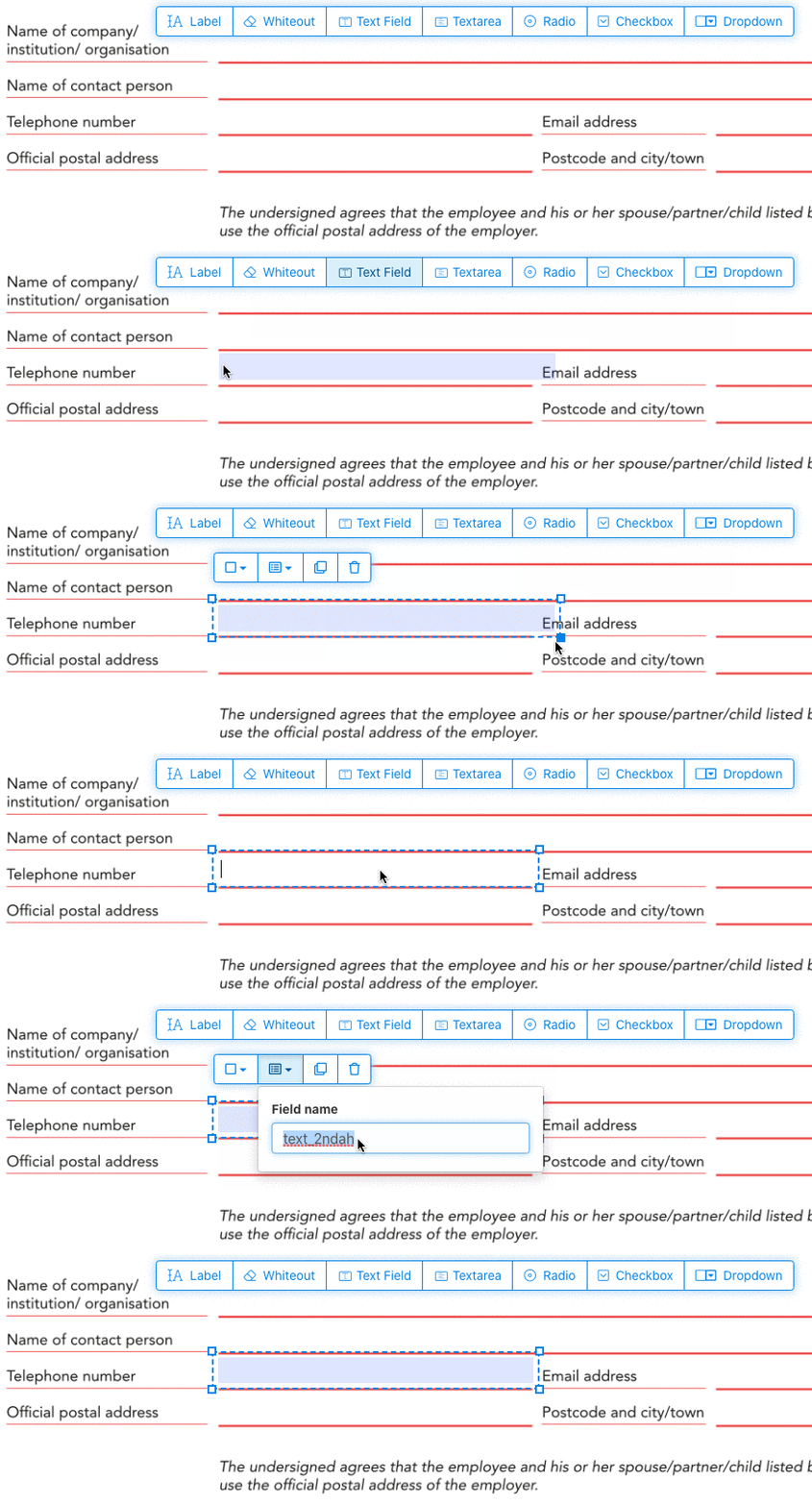
Jak utworzyć wypełnialne pole tekstowe PDF
Kliknij element pola tekstowego z menu. Kliknij na stronie, aby umieścić nowe pole tekstowe.
![]()
Utwórz pola wyboru, przyciski opcji lub listę rozwijaną
Wszystkie inne pola formularzy można dodać w ten sam sposób.
Radio buttons are grouped together in unison by using the same form field name for all buttons. This ensures only one is selected at the same time. When the user selects one, the other radio buttons in the group are deselected.
Zmień kolor obramowania. Configure text color in PDF form fields
Użyj pól formularzy z przezroczystym obramowaniem lub wybierz kolor, który najbardziej Ci odpowiada. The color of the text of the PDF fields can be configured.
The text alignment can be configured as 'Left', 'Center' or 'Right'. The font size can be set to a specific value or left as 'Auto' to that it automatically adjusts based on the amount of text typed in.
Kontroluj nazwy pól formularzy i inne właściwości
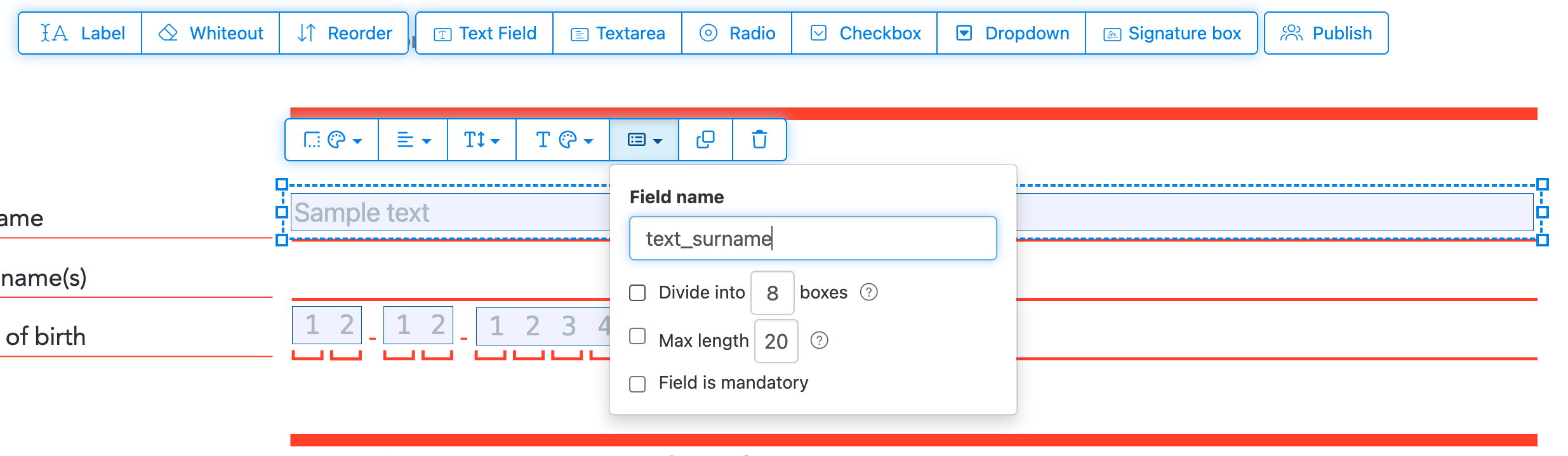
Zdefiniuj nazwę dla każdego pola formularza i skonfiguruj określone właściwości pola, takie jak wielokrotny wybór, wartości eksportu i inne.
Mark any field as required, so it must be completed before the form can be submitted. For text fields, you can also set a maximum character length to limit input.
Text fields can be displayed as a comb field, dividing the input area into equally spaced boxes, one per character. Commonly used for date fields, postal codes, ID numbers, and similar structured inputs.
![]()
Change PDF tab order
Need to control the order in which fields are tabbed through? Click 'Reorder' to reorder form fields by dragging and dropping, or auto-sort them by rows or columns.
Align PDF fields, multi-select and duplicate across pages
Select multiple form fields at once and duplicate them to a different page, handy when building multi-page forms with repeating sections.
Use the alignment tools to line up multiple form fields with each other. Align by left, right, top, or bottom edge for a clean, professional layout.
Opublikuj do wypełnienia i podpisu
Once your form is ready, use 'Publish' button to generate a shareable link. Anyone with the link can open the form, fill it out, and send it back to you by email. The link does not expire and can be shared on a website or in an email.
-
Zapisz swój dokument
Kliknij 'Zastosuj zmiany'. Po zakończeniu przetwarzania zapisz zaktualizowany dokument.
Powinieneś mieć wypełnialny dokument PDF, który można łatwo wypełnić elektronicznie, bez drukowania.